Changelog

Follow new updates and improvements to Expiration Reminder.

Notification Center

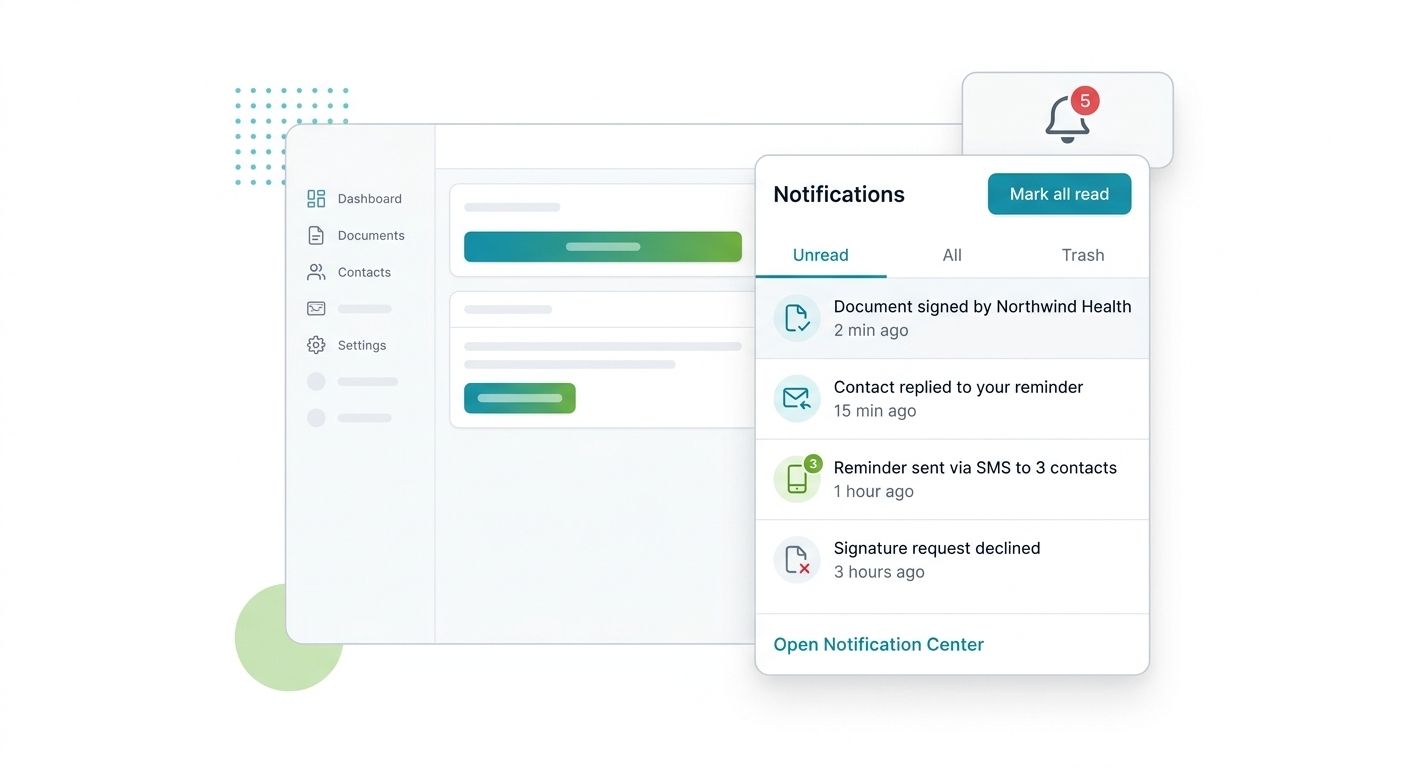
A bell icon in the header now shows an unread count and gives you one place to see everything that needs your attention, without leaving the page you are on.

What you can do:

  • See an unread badge on the bell icon from any page, updating in real time as new activity comes in.

  • Open the dropdown to browse Unread, All, and Trash tabs, with bulk actions to mark several notifications read or clear them at once.

  • Click any notification to jump straight to the record it refers to.

  • Open the full page at /notifications to filter, sort, and page through your history.

  • Mute specific notification types, and receive a daily email digest of anything still unread.

Notifications fire when a reminder is sent on your behalf, when a signature document is completed, declined, expired, or voided, and when a contact replies to a reminder by email or SMS. Look for the bell in the main header. Your existing email reminders are unchanged; this adds a new surface rather than replacing anything.
Read the full release notes

New

Custom List Views

You can now save a filtered version of your expiration items list and return to it anytime, without rebuilding the same filters on every visit.

What you can do:

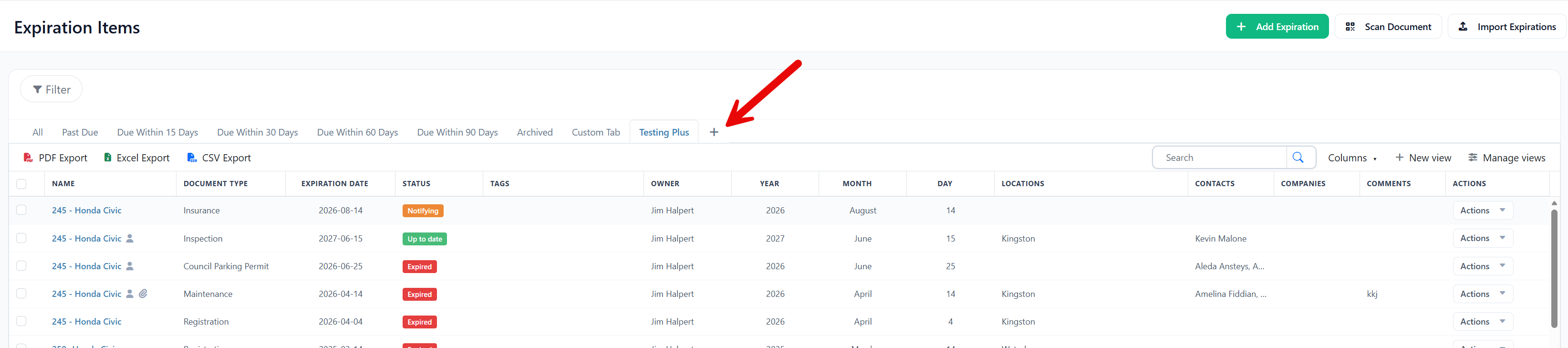
  • Click "New View" above your expiration items list and give the view a name
  • Apply the filters you want, and Expiration Reminder saves them to that view
  • Return to the view anytime as a tab, alongside built-in views like items due within 60 days and 90 days
  • Rely on each view to update automatically as items are added or renewed

Your new views appear as tabs across the top of your list, next to the built-in ones you already use. Your existing views, filters, records, and reminders are unchanged.

Read the full release notes

New

Vehicle and Equipment Assignments

Vehicle and Equipment Assignments

You can now schedule vehicles and equipment to one or more operators across specific time windows. This replaces the single current-assignee field with a full assignment timeline, so you can model shift work, rotating crews, and shared equipment pools.

What you can do:

  • Assign a vehicle or piece of equipment to multiple operators across overlapping or sequential shifts, each with its own start and end date and time, plus an optional comment
  • Schedule assignments in advance, and extend or shorten an active assignment when plans change
  • View past, current, and future assignments on a calendar, filtered per vehicle, per equipment, or per contact

Find it under the new Assignments item in the Vehicles and Equipment sections, and on the Assignments tab of any vehicle or equipment record. Each contact's Vehicles and Equipment tabs now show that person's full assignment history.

Your existing Assigned To filters, grids, exports, and notifications are unchanged.

Read the full release notes: https://www.expirationreminder.com/changelog/vehicle-equipment-assignments

New

Earlier updates