Electronic Signatures
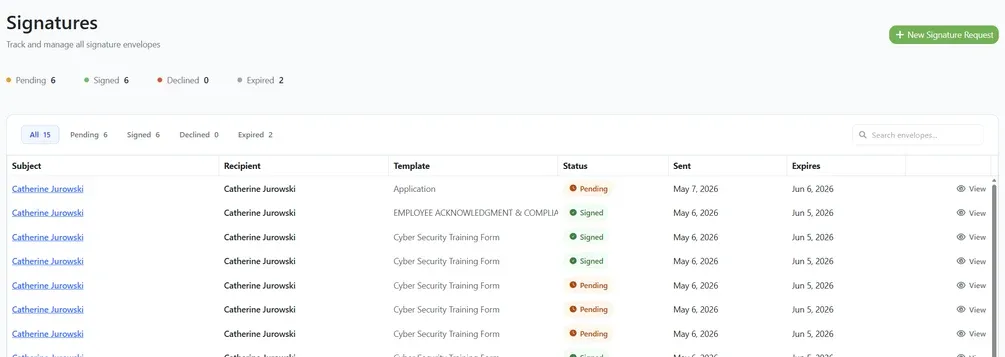
You can now generate a document from a template, send it to a contact for electronic signature, and have the signed copy filed automatically against the right record. The whole renewal-by-signature loop now happens inside Expiration Reminder.
What you can do:
Build reusable contract templates with merge fields that pull in contact, company, item, and expiration details automatically.
Send a signature request from an expiration item or from the Signatures page, preview the resolved document, and email a signing link to a contact.
Track every request by status (Pending, Signed, Declined, Expired) and open the signed PDF, with a timestamped audit trail for each envelope.
Find it under Documents in the left menu, split into Contract Templates and Signatures. When a document is signed, the PDF is filed back to the expiration item, linked to the related contacts, and the expiration date is renewed automatically. Existing items, contacts, and documents are untouched.