Document Library
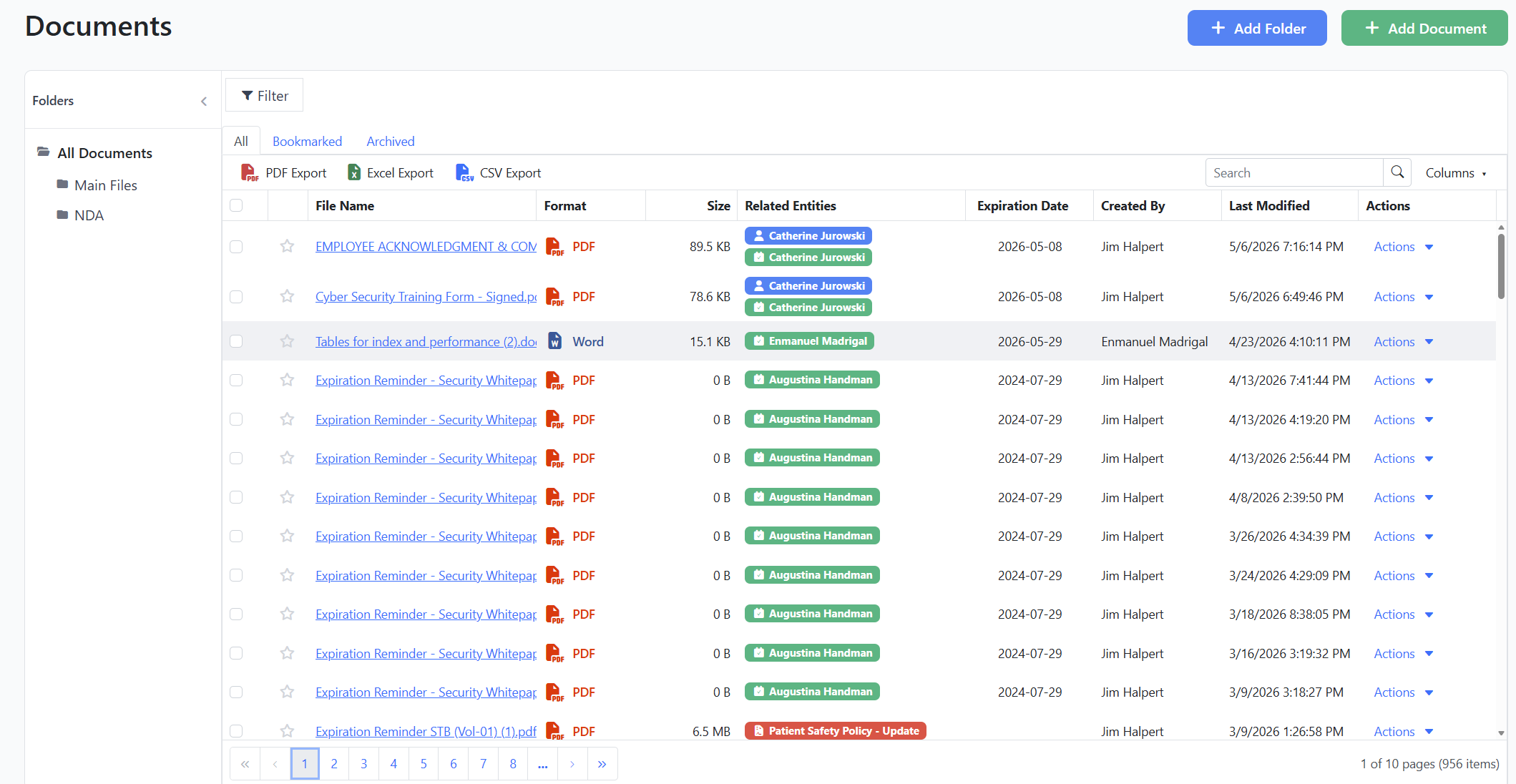
The new Document Library brings every certificate, license, COI, policy, and training record into one organized place in Expiration Reminder, with folders, expiration tracking, and direct links to the people and records they belong to.
What you can do:
Upload documents (PDF, Word, Excel, PowerPoint, images, CSV, TXT) with drag-and-drop and multi-file support
Organize files into folders and sub-folders (up to 5 levels deep), with breadcrumb navigation
Bookmark documents you reference often and switch between All, Bookmarked, and Archived tabs
Filter by expiration date, last modified, file format, tags, or uploaded by
Link a document to one or more contacts, expiration items, policies, companies, locations, equipment, or vehicles
Generate a QR code for any document so field staff can pull it up on a phone
Preview PDFs and images directly in the browser, with an Edit view for renaming, replacing the file, updating the description, and managing tags
You will find it in the main navigation under Documents. All attachments you previously uploaded against records (contacts, expiration items, policies, and others) are already part of the library, with their original links intact.
If you delete a folder, its documents and sub-folders are automatically moved up to the parent folder rather than removed, so nothing gets lost by accident.